Qdrant image similarity search | Rust & FastEmbed
FastEmbed runs locally, no API costs, supports CLIP models for image-text alignment, and integrates seamlessly with Qdrant’s vector similarity search. You can use it with Rust and other languages
Introduction
Let’ make use of Rust with the FastEmbed crate to build a robust and performant image similarity search using Qdrant.
We could also use it for image category-level anomaly detection, and that’s something we will explore in due course. (Qdrant/resnet50-onnx)
See also:
https://qdrant.tech/articles/detecting-coffee-anomalies/
https://www.kaggle.com/datasets/mdwaquarazam/agricultural-crops-image-classification
Normal dataset: dogs, cars, buildings
Anomaly: a boat appears

CLIP embedding space:
dogs → cluster A ✓
cars → cluster B ✓
buildings → cluster C ✓
boat → far from all clusters → high distance score ✓
The code
First, let’s begin with cargo new imsearch
We can make use of FastEmbed by adding the FastEmbed crate:
cargo add fastembedWe’ll start with the example code from FastEmbed, and put it into a “main” function.
The FastEmbed Example
This code is copied from the docs, but additionally we have put it inside fn main so you can run it with cargo run
use fastembed::{ImageEmbedding, ImageInitOptions, ImageEmbeddingModel};

fn main()->Result<(),Box<dyn std::error::Error>>{
// With default options
let _model = ImageEmbedding::try_new(Default::default())?;

// With custom options
let mut model = ImageEmbedding::try_new(
    ImageInitOptions::new(ImageEmbeddingModel::ClipVitB32).with_show_download_progress(true),
)?;

let images = vec!["assets/x.png"];

// Generate embeddings with the default batch size, 256
let embeddings = model.embed(images, None)?;

println!("Embeddings length: {}", embeddings.len()); // -> Embeddings length: 1
println!("Embedding dimension: {}", embeddings[0].len()); // -> Embedding dimension: 512
Ok(())

}
Compile >
❯ cargo r
   Compiling imsrch v0.1.0 (/home/oem/rust/imsrch)
    Finished `dev` profile [unoptimized + debuginfo] target(s) in 2.19s
     Running `target/debug/imsrch`
Embeddings length: 1
Embedding dimension: 512
Wire it up to send to Qdrant
Create an assets directory and put your image files inside, these will be the images that you want to search against.
❯ tree -L 2
.
├── assets
│   └── x.png
├── Cargo.lock
├── Cargo.toml
├── src
│   └── main.rs
└── target
    ├── CACHEDIR.TAG
    ├── debug
    └── flycheck0

6 directories, 5 files
Here’s a section-by-section walkthrough:
This program does three things in sequence:
Converts an image into a list of numbers (an embedding) using a neural network
Connects to a Qdrant vector database
Stores that embedding so you can later ask “find me images similar to this one”
Section 1 — Imports & Constants
use fastembed::{ImageEmbedding, ImageInitOptions, ImageEmbeddingModel};
use qdrant_client::qdrant::{
    CreateCollectionBuilder, Distance, PointStruct, UpsertPointsBuilder, VectorParamsBuilder,
};
use qdrant_client::qdrant::Value;
use qdrant_client::Qdrant;
use std::collections::HashMap;

const COLLECTION_NAME: &str = "image_embeddings";
const VECTOR_DIM: u64 = 512;
Two external crates are in play:
fastembed— a Rust wrapper around ONNX embedding models. It handles downloading the model weights and running inference locally.qdrant_client— the official Rust client for Qdrant, a purpose-built vector database.
The two constants are defined once at the top so they never become magic numbers buried in logic:
COLLECTION_NAMEis Qdrant’s equivalent of a database table nameVECTOR_DIM: 512is not arbitrary — it’s the fixed output size of the CLIP ViT-B/32 model. Every image this model processes becomes exactly 512 numbers.
Section 2 — Async Runtime
#[tokio::main]
async fn main() -> Result<(), Box<dyn std::error::Error>> {
Qdrant operations involve network I/O (even to localhost), so the code needs to be async. The #[tokio::main] macro bootstraps the Tokio async runtime, letting you write async fn main as if it were normal. Without it, Rust has no built-in async executor.
Box<dyn std::error::Error> as the return type is a common pattern that lets the function return any error type — handy when mixing errors from different crates (fastembed, qdrant_client, etc.).
Section 3 — Generating the Embedding
let mut model = ImageEmbedding::try_new(
    ImageInitOptions::new(ImageEmbeddingModel::ClipVitB32)
        .with_show_download_progress(true),
)?;

let images = vec!["assets/x.png"];
let embeddings = model.embed(images.clone(), None)?;
What is an embedding? A neural network’s way of compressing an image into a fixed-length vector of floats that captures its semantic meaning. Images of cats cluster together in this 512-dimensional space; images of cars cluster elsewhere. This is what makes similarity search possible.
CLIP ViT-B/32 is a model trained on image-text pairs. It’s a strong general-purpose choice — it understands visual concepts rather than just pixel patterns. FastEmbed does support some others, check the excellent fastembed-rs documentation.
CLIP == “Contrastive Language-Image Pretraining”
The ? operator after try_new and embed is Rust’s concise error propagation: if either call fails, the error is immediately returned from main instead of panicking.
images.clone() is needed because embed() consumes the vec it receives, but we need images again later in Section 5 to store the file path as metadata.
Section 4 — Connecting to Qdrant
let client = Qdrant::from_url("http://localhost:6334").build()?;
Qdrant’s Docker container exposes two ports:
- 6333 → REST/HTTP API
- 6334 → gRPC (what this client uses by default — faster for bulk operations)
The build() call finalises the client configuration. The connection itself is lazy — no actual network call happens here yet.
If you are trying Qdrant for the first time, you can start a Docker Qdrant image by following this local quickstart guide
Section 5 — Idempotent Collection Setup
let collections = client.list_collections().await?;
let exists = collections.collections.iter().any(|c| c.name == COLLECTION_NAME);

if !exists {
    client.create_collection(
        CreateCollectionBuilder::new(COLLECTION_NAME)
            .vectors_config(VectorParamsBuilder::new(VECTOR_DIM, Distance::Cosine)),
    ).await?;
}
A collection in Qdrant is roughly equivalent to a table in SQL — it holds all your points (vectors + metadata) and defines how distances between them are calculated.
The check-before-create pattern makes the program idempotent: safe to run multiple times without erroring on the second run. It’s a good habit for any setup code.
VectorParamsBuilder::new(VECTOR_DIM, Distance::Cosine) tells Qdrant two critical things:
- Every vector stored here will have 512 dimensions — it rejects anything else (512 is specific to the model, a different model may use different dimensions, check the model info/card on Hugging Face or wherever you obtain it from).
- Similarity will be measured with Cosine distance, which measures the angle between vectors rather than their absolute magnitude. This is also per model, confirm this when picking your embedding model.
Section 6 — Building & Upserting Points
let points: Vec<PointStruct> = embeddings
    .into_iter()
    .enumerate()
    .map(|(i, vector)| {
        let mut payload: HashMap<String, Value> = HashMap::new();
        payload.insert("image_path".to_string(), images[i].to_string().into());
        PointStruct::new(i as u64, vector, payload)
    })
    .collect();

client.upsert_points(UpsertPointsBuilder::new(COLLECTION_NAME, points)).await?;
A point is Qdrant’s atomic unit of storage. Each point has three components:
| Component | What it is | In this code |
|---|---|---|
| ID | A unique integer identifier | i as u64 (the loop index) |
| Vector | The embedding floats | the 512-element vector |
| Payload | Arbitrary JSON metadata | {"image_path": "assets/x.png"} |
The payload is why the type annotation HashMap<String, Value> matters — Qdrant has its own Value type (similar to serde_json::Value) that can represent strings, numbers, booleans, etc. The .into() call on the string converts it to the right Value variant automatically.
Upsert = insert or update. If a point with that ID already exists, it gets overwritten. This is safer than a plain insert, which would error on duplicate IDs.
The iterator chain .into_iter().enumerate().map(...).collect() is idiomatic Rust for transforming one collection into another — here converting Vec<Vec<f32>> into Vec<PointStruct>.
The Data Flow in One Diagram
assets/x.png
     │
     ▼
[CLIP ViT-B/32 model]
     │
     ▼
[0.12, -0.34, 0.87, ... ]  ← 512 floats
     │
     ▼
PointStruct {
  id: 0,
  vector: [...512 floats...],
  payload: { "image_path": "assets/x.png" }
}
     │
     ▼
Qdrant collection "image_embeddings"
From here, you can run similarity searches: give Qdrant a new image’s embedding and ask for the N closest points — those are your visually similar images.
❯ cargo r
    Finished `dev` profile [unoptimized + debuginfo] target(s) in 0.44s
     Running `target/debug/imsrch`
Embeddings length: 1
Embedding dimension: 512
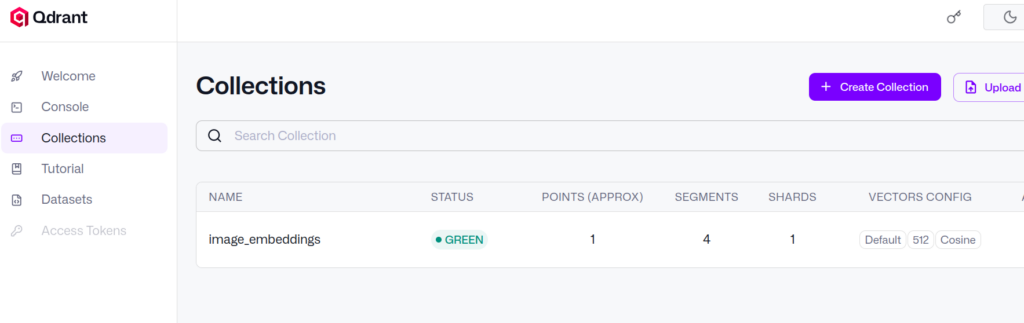
Created collection 'image_embeddings'
Upserted 1 point(s) into 'image_embeddings'
Finding the most similar image
So far we just embedded 1 image.
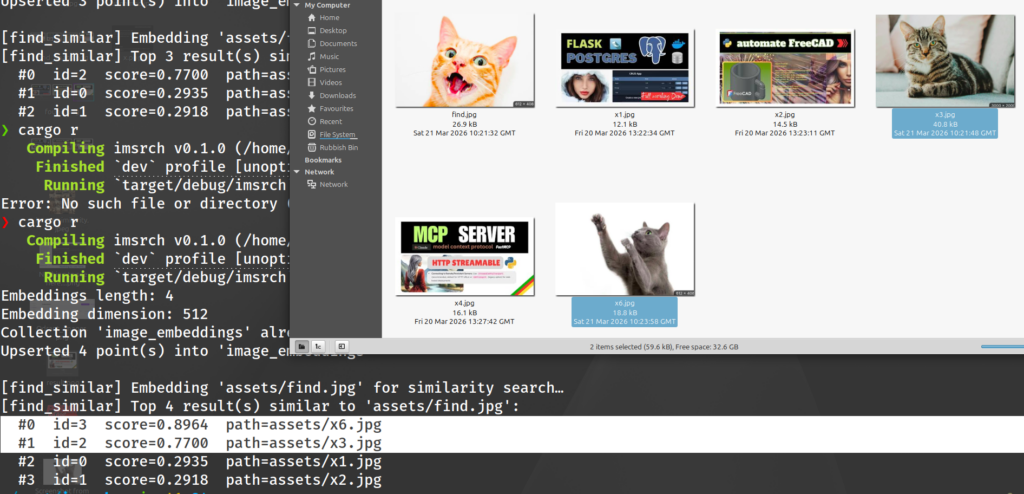
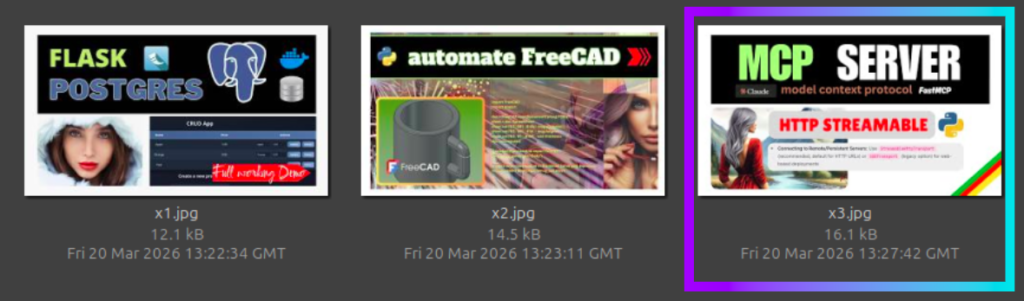
Next we’ll embed several, and then supply 1 ‘find.jpg’ image to use as the one we want to find similar ones against.
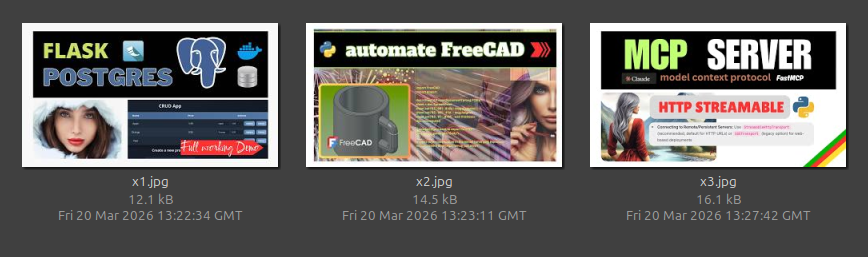
3 thumbnails that we will embed
The new function that we add to our code async fn find_similar finds the most visually similar to the image we supply.
/// Embeds `assets/find.png` and queries Qdrant for the TOP_K most similar points.
/// Silently skips if the file is not present.
async fn find_similar(
    model: &mut ImageEmbedding,
    client: &Qdrant,
) -> Result<(), Box<dyn std::error::Error>> {
    const QUERY_IMAGE: &str = "assets/find.jpg";

    if !Path::new(QUERY_IMAGE).exists() {
        println!("\n[find_similar] '{QUERY_IMAGE}' not found — skipping similarity search.");
        return Ok(());
    }

    println!("\n[find_similar] Embedding '{QUERY_IMAGE}' for similarity search…");
    let query_embeddings = model.embed(vec![QUERY_IMAGE], None)?;
    let query_vector: Vec<f32> = query_embeddings.into_iter().next().unwrap();

    let results = client
        .search_points(
            SearchPointsBuilder::new(COLLECTION_NAME, query_vector, TOP_K)
                .with_payload(true),
        )
        .await?;

    println!(
        "[find_similar] Top {} result(s) similar to '{QUERY_IMAGE}':",
        results.result.len()
    );

    for (rank, scored_point) in results.result.iter().enumerate() {
        let path = scored_point
            .payload
            .get("image_path")
            .and_then(|v| v.as_str())
                .map_or("<unknown>", |v| v);
        println!(
            "  #{rank}  id={}  score={:.4}  path={path}",
            scored_point.id
                .as_ref()
                .map(|id| match &id.point_id_options {
                    Some(qdrant_client::qdrant::point_id::PointIdOptions::Num(n)) => n.to_string(),
                    Some(qdrant_client::qdrant::point_id::PointIdOptions::Uuid(u)) => u.clone(),
                    None => "<none>".to_string(),
                })
                .unwrap_or_default(),
            scored_point.score,
        );
    }

    Ok(())
}
Full code
❯ cargo r
   Compiling imsrch v0.1.0 (/home/oem/rust/imsrch)
    Finished `dev` profile [unoptimized + debuginfo] target(s) in 2.80s
     Running `target/debug/imsrch`
Embeddings length: 3
Embedding dimension: 512
Collection 'image_embeddings' already exists
Upserted 3 point(s) into 'image_embeddings'

[find_similar] Embedding 'assets/find.jpg' for similarity search…
[find_similar] Top 3 result(s) similar to 'assets/find.jpg':
  #0  id=2  score=0.5336  path=assets/x3.jpg
  #1  id=1  score=0.4687  path=assets/x2.jpg
  #2  id=0  score=0.4085  path=assets/x1.jpg
We see that image “x3.jpg” is most similar to our image we want to find against
This is correct, score=0.5336 is the highest scoring of the 3 images we had stored as vectors to search against.
Conclusion
We said “find the image in Qdrant that is most similar to this one”
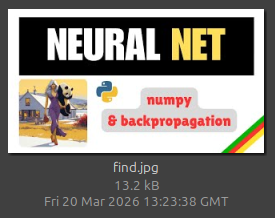
The result/output told us that “x3.jpg” is most similar – this is a very small example but it demonstrates the concept.
TL;DR – How does ‘find’ work?
Step 1 — Turn the image into numbers
let query_embeddings = model.embed(vec![QUERY_IMAGE], None)?;
let query_vector: Vec<f32> = query_embeddings.into_iter().next().unwrap();
You feed your query image into the neural network, which spits out a list of ~500-1000 floating point numbers (e.g. [0.23, -0.81, 0.44, ...]). This is the image’s “meaning” compressed into a fixed-size coordinate in high-dimensional space. Similar images will produce similar vectors.
Step 2 — Find the closest neighbours in the database
client.search_points(
    SearchPointsBuilder::new(COLLECTION_NAME, query_vector, TOP_K)
)
You throw that vector at Qdrant and say “give me the TOP_K stored vectors that are geometrically closest to this one.” Qdrant uses the HNSW algorithm under the hood to do this without comparing against every single stored vector — otherwise it’d be too slow at scale.
*cosine measures angle between vectors, not magnitude, a dense cluster of 100 flower images doesn’t “dominate” the space the way it would with Euclidean distance. A car image is geometrically far from the flower cluster regardless of how many flower images are in there — the angle between them is large.